












Best Translation Software
What is Translation Software?
Translation software is a broad category of tools that help individuals, teams, and organizations convert text or content from one language to another – whether that means translating a single document, localizing an entire website, or managing multilingual content across a global product. The category spans several distinct tool types that serve different users and workflows.
Translation management systems (TMS) provide a centralized platform where translation teams coordinate projects, assign work to translators, maintain translation memories and glossaries, and track progress across multiple languages simultaneously. Computer-assisted translation (CAT) tools are desktop or cloud applications that professional translators use during the actual translation process – they segment text into translatable units, suggest matches from translation memory, and integrate machine translation for first-pass drafts.
Machine translation engines like DeepL and Google Cloud Translation AI handle fully automated translation using neural networks trained on billions of sentence pairs. And localization platforms focus specifically on translating digital products – websites, mobile apps, and software interfaces – with developer-friendly integrations that pull translatable strings directly from code repositories.
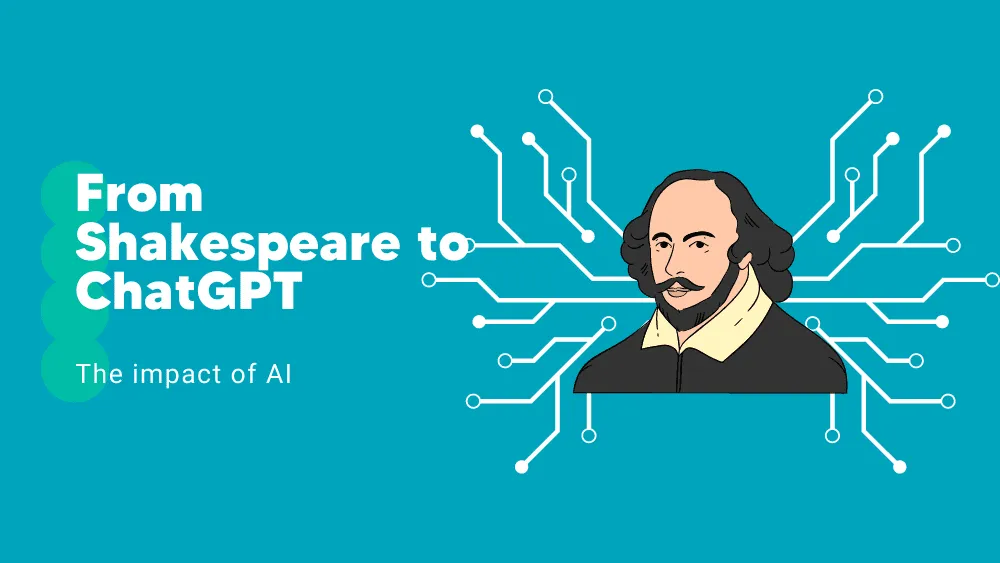
In 2026, the AI layer across all these tool types is accelerating rapidly: large language models are being embedded into TMS and CAT workflows for context-aware translation suggestions, automated quality estimation, and adaptive terminology handling that learns from translator corrections in real time.
Top Software for
Small Business
Medium Business
Enterprise Business
Free Software
Compare Translation Software
Filter Software Rankings | Updated on
Sort by
Sponsored (default)
Features
Pricing Options
Deployment
Best For
Reset All
See Results
Open Filters & Sort
Crowdin
Premium Seller
Verified, optimized for fast response, and a trusted software solution
Crowdin is a cloud-based localization and translation management platform designed to help teams automate and centralize multilingual content workflows. It enables continuous localization for softwar...
Learn more about Crowdin
QuillBot
Premium Seller
Verified, optimized for fast response, and a trusted software solution
QuillBot is an AI-driven writing assistant designed to enhance clarity, tone, and originality across documents, emails, and academic work. It combines a suite of tools—such as paraphrasing, grammar...
Learn more about QuillBot
Localazy is a powerful cloud-based app localization software that helps developers translate software, websites, and other digital products into multiple languages. It offers continuous localization ...
Learn more about Localazy
MachineTranslation.com is an AI-powered translation platform designed to help users translate text and documents across a wide range of languages. The platform combines multiple machine translation e...
Learn more about MachineTranslation.com
Centus is a versatile platform designed to streamline content localization and global brand management. Built for businesses aiming to expand internationally, Centus integrates translation, localizat...
Learn more about Centus
SimpleLocalize is a translation management platform that simplifies the process of localizing software projects, making it a user-friendly experience. It offers various tools such as a web-based edit...
Learn more about SimpleLocalize
Translation Studio is a complete language translation solution that is seamlessly integrated within the Salesforce platform. Its purpose is to simplify and streamline the translation process, making ...
Learn more about Translation Studio
Lokalise is a collaborative translation software that helps manage and automate the localization process. It offers features such as unlimited projects, collaborative online editing, automations, scr...
Learn more about Lokalise
POEditor is an online localization platform and translation management system that caters to teams of all sizes, offering a straightforward and efficient way to translate websites, apps, games, and m...
Learn more about POEditor
Trulinco is a revolutionary real-time translation platform that enables seamless communication across languages. It utilizes cutting-edge machine learning technology to bridge linguistic barriers and...
Learn more about Trulinco
Taia is an innovative language services platform that offers a wide range of translation and localization solutions for businesses. With it, businesses can easily manage their localization needs and ...
Learn more about Taia
Trados Studio is a computer-assisted translation (CAT) tool that helps translators and language service providers increase translation productivity, ensure consistent quality, and reduce administrati...
Learn more about Trados Studio
Google Cloud Translation AI
Unverified
Product not verified by the Software Seller.
Google Cloud Translation AI is a dynamic and powerful software developed by Google, designed to break down language barriers and enhance global communication. This tool utilizes advanced machine lear...
Learn more about Google Cloud Translation AI
EasyTranslate is a comprehensive translation management platform designed to streamline the translation process for businesses of all sizes. It facilitates the seamless integration of translation tas...
Learn more about EasyTranslate
Cocoon is a web-based translation management system (TMS) that empowers businesses to effectively translate their software, websites, games, and other digital content into multiple languages. It simp...
Learn more about Cocoon
TranslationProjex is a comprehensive translation management software designed for translation agencies. It offers unlimited users and different access levels, allowing for easy management. The softwa...
Learn more about TranslationProjex
Lilt is an advanced AI solution for enterprise translation. It utilizes a Contextual AI Engine that is continuously retrained in real-time, leading to more accurate translations delivered in the bran...
Learn more about Lilt
Phrase TMS is a web-based comprehensive localization platform that automates and manages translation projects. It is a powerful and customizable localization platform designed to automate, manage, ...
Learn more about Phrase TMS
Weglot is a translation software that offers a simple and efficient solution for translating, displaying, and managing multilingual websites. It is used by thousands of global brands, including Unite...
Learn more about Weglot
Wordfast is a comprehensive suite of translation software tools that includes WF Anywhere, WF Pro, WF Classic, and WF Server.
WF Anywhere is a web-based platform that allows translators to access an...
Learn more about Wordfast
of 2
Next Page

Table of Contents
- How to choose translation software
- Translation management systems
- Computer-assisted translation tools
- Machine translation and AI translation tools
- Website and app localization tools
- Free translation software
- Translation software pricing
- Capabilities that define a strong translation platform
- Translation software at a glance
- How we review translation tools
- Frequently asked questions
How to choose translation software
The right translation tool depends on who is doing the translating, what is being translated, and how your translation workflow is structured. Start with these questions before evaluating any platform.
Are you translating content yourself, or managing a team? Solo translators and freelancers need CAT tools with strong translation memory and terminology management. Organizations managing translation across multiple languages, translators, and projects need a TMS that handles assignment, workflow, and quality assurance at scale. Picking the wrong category wastes budget on features you don’t need or leaves you without the coordination tools your team requires.
What type of content are you translating? Documents and marketing content have different requirements than software strings or website copy. Document translation tools need to handle file formats like DOCX, PDF, and XLIFF cleanly. Software and website localization tools need to integrate with code repositories, CMS platforms, and CI/CD pipelines. Some platforms handle both well; many specialize in one area.
How important is machine translation in your workflow? If you need fast, high-volume translation with human review (known as post-editing), look for platforms with strong machine translation integration and quality estimation scores. If your content requires high accuracy from the start – legal, medical, or regulated content – you may want tools that prioritize human translation workflows with machine translation as an optional assist rather than a default.
What integrations matter? Translation rarely happens in isolation. Check whether the platform connects natively to your CMS (WordPress, Contentful, Drupal), your code repository (GitHub, GitLab, Bitbucket), your design tools (Figma, Sketch), or your marketing stack. Platforms like Crowdin and Lokalise are built around developer integrations; others focus more on content and marketing workflows.
What is your budget model? Pricing in this category varies widely – from free open-source CAT tools to enterprise TMS platforms costing $50,000+ per year. Understand whether you are paying per word translated, per user seat, per project, or on a flat subscription before committing.
Translation management systems
Translation management systems are the operational backbone for organizations that translate content at scale. A TMS coordinates the full translation lifecycle: importing source content, assigning translation tasks to internal teams or external vendors, applying translation memory and glossary matches, managing review and approval workflows, and delivering translated content back to its destination system. These platforms are essential for companies localizing products into dozens of languages or managing ongoing content streams that require continuous translation.
Phrase TMS (formerly Memsource) is one of the most widely adopted cloud-based TMS platforms, used by translation agencies, enterprises, and LSPs (language service providers) for its strong automation engine, 50+ file format support, and deep machine translation hub that connects to multiple MT providers. Smartcat combines TMS functionality with a marketplace of freelance translators and an AI translation layer, making it popular with organizations that need both the platform and the translator workforce. XTM Cloud serves enterprise localization teams with advanced workflow automation, LQA (linguistic quality assurance) scoring, and strong API capabilities for custom integrations.
Transifex positions itself at the intersection of TMS and developer tooling – it is popular with software companies that need to localize product interfaces and documentation with GitHub and GitLab integrations built into the core workflow. Wordbee is a full TMS with built-in project management, vendor management, and financial tracking that makes it particularly useful for translation agencies managing multiple client accounts. TracXTMS serves a similar agency-focused market with project tracking, translator assignment, and invoicing in a single platform.
Computer-assisted translation tools
CAT tools are the daily working environment for professional translators. Unlike machine translation engines that translate automatically, CAT tools assist human translators by breaking documents into segments, suggesting matches from translation memory (previously translated segments), enforcing terminology consistency through glossaries, and providing a side-by-side editing interface where source and target text are visible simultaneously. Many professional translators spend their entire working day inside a CAT tool.
Trados Studio (formerly SDL Trados) has been the industry standard CAT tool for over two decades. It dominates the freelance and agency translator market with deep translation memory capabilities, extensive file format support, and a large ecosystem of plugins. Its pricing is perpetual license-based (with optional subscription), which appeals to translators who prefer to own their tools. memoQ is the primary alternative to Trados, offering a similar feature set with a reputation for a more modern interface and better collaboration features for teams. memoQ is available both as a desktop application and a server-based solution for agencies and enterprises.
Wordfast offers a lighter-weight CAT tool that runs either as a standalone application or as a browser-based tool, with pricing that undercuts Trados and memoQ significantly – making it popular with freelance translators who want professional-grade translation memory without the higher price point. Translation Studio provides another option in the CAT tool space with a focus on simplicity and fast onboarding for translators who don’t need the full feature depth of Trados or memoQ.
Machine translation and AI translation tools
Machine translation (MT) tools use neural networks and large language models to translate text automatically without human involvement. The quality of neural MT has improved dramatically since 2020, and in 2026 the best engines produce output that is usable for many content types with minimal or no human editing – particularly for common language pairs like English to Spanish, French, German, or Portuguese. For specialized or high-stakes content, MT output still requires human post-editing, but the productivity gains are substantial.
DeepL Pro has established itself as the quality leader in neural machine translation for European languages, consistently outperforming Google Translate in blind quality assessments for language pairs involving German, French, Dutch, Polish, and other European languages. The Pro tier adds API access, document translation with formatting preservation, glossary enforcement, and team management features. Google Cloud Translation AI offers the broadest language coverage (130+ languages) and is the default choice for organizations already on Google Cloud that need translation as an API service embedded in their applications.
SYSTRAN Translate Pro has a long history in machine translation (predating neural MT by decades) and differentiates with on-premise deployment options for organizations with data security requirements that prevent sending content to cloud-based services. Lilt takes a different approach entirely – it combines neural MT with human translators in a unified workflow where the AI generates first drafts and human translators refine them, with the system learning from each correction to improve over time. This adaptive MT approach is gaining traction with enterprises that need both speed and quality.
Website and app localization tools
Localization platforms focus specifically on translating digital products – websites, web applications, mobile apps, and software interfaces. Unlike general TMS platforms, these tools integrate directly with the development stack and are designed to handle the unique challenges of software localization: translating UI strings stored in JSON or YAML files, managing context (a button label needs different treatment than a paragraph of help text), handling pluralization rules that vary by language, and deploying translations without requiring a code release.
Crowdin is one of the most popular localization platforms for software teams, with native integrations for GitHub, GitLab, Bitbucket, and major mobile development frameworks. It supports over-the-air (OTA) delivery of translations to mobile apps, meaning translators can update strings without waiting for a new app release. Lokalise serves a similar market with strong Figma integration (translators can see their translations in the actual design context), branching workflows that mirror Git branching, and a quality assurance engine that catches common localization errors.
Weglot takes a fundamentally different approach to website translation – rather than requiring developers to extract and manage translation files, Weglot sits as a layer on top of your existing website and automatically detects, translates (via MT), and serves translated pages. It works with any website platform including WordPress, Shopify, and custom-built sites, and is popular with marketing teams that need to launch multilingual websites quickly without engineering involvement. Localazy focuses on app and software localization with a developer-first approach, strong CLI tooling, and a community translation feature that allows open-source projects to crowdsource translations.
SimpleLocalize offers a lightweight, developer-oriented localization platform with a straightforward API and hosting for translation files that integrates into CI/CD pipelines. Centus provides a visual localization platform where teams can see translations in context alongside the original design, reducing the back-and-forth between translators and product teams that often causes delays in localization workflows.
Free translation software
Several platforms offer meaningful free tiers that serve freelancers, small teams, or open-source projects:
- Crowdin – free for open-source projects with unlimited strings and contributors; paid plans start for private projects
- Localazy – free tier with up to 1,000 source strings, community translation features, and CLI integration
- SimpleLocalize – free plan with limited keys and hosting for small app localization projects
- Smartcat – free for freelance translators using the CAT editor and marketplace; team features are paid
- Wordfast – offers a free version (Wordfast Anywhere) as a browser-based CAT tool with basic translation memory
Enterprise TMS platforms – Phrase TMS, XTM Cloud, Wordbee, and Trados Studio – do not typically offer free tiers. Most provide time-limited trials or demo environments. DeepL offers a free tier with character limits on its API and web translator, but the Pro features (document translation, glossary, team management) require a paid subscription.
Translation software pricing
Pricing models in this category differ significantly by tool type, and understanding which model applies prevents budget surprises.
Per-user subscription (TMS platforms): Most cloud TMS platforms charge per user per month, often with tiered plans based on feature access and project volume. Expect $25-$100/user/month for mid-market platforms, with enterprise plans negotiated based on word volume and integration requirements. Crowdin’s pricing follows this model with plans starting at $33/month for small teams.
Perpetual license (CAT tools): Trados Studio and memoQ have traditionally sold perpetual desktop licenses – a one-time purchase (typically $600-$900 for freelancers, $2,000-$5,000 for team editions) that you own indefinitely, with optional annual maintenance for updates. Both are also moving toward subscription options alongside their perpetual models.
Per-word or per-character pricing (MT engines): Machine translation APIs like Google Cloud Translation and DeepL Pro charge by volume – typically per character or per word translated. Rates vary from $10-$25 per million characters depending on the provider and language pair. This model scales directly with usage, making costs predictable for high-volume applications.
Flat subscription with string/word limits (localization tools): Localization platforms like Lokalise, Localazy, and SimpleLocalize charge monthly subscriptions with limits on the number of source strings (translatable keys) in your project. Plans range from free (under 1,000 strings) to $300-$1,000/month for larger projects with advanced features and multiple languages.
Custom enterprise contracts: Large localization programs – companies translating into 30+ languages with millions of words per year – typically negotiate custom annual contracts with volume discounts, dedicated support, and professional services. These contracts can range from $20,000 to $200,000+ per year depending on scope.
Capabilities that define a strong translation platform
The features that matter most depend on your tool type and workflow, but these capabilities are worth evaluating carefully across any translation platform.
Translation memory
Translation memory (TM) is the foundational technology in professional translation software. A TM database stores every translated segment (typically a sentence) along with its source text. When a translator encounters a segment that matches or partially matches a previously translated segment, the tool suggests the existing translation – saving time and ensuring consistency.
Over years of use, a well-maintained TM becomes an extremely valuable asset. Look for platforms that support fuzzy matching (suggesting partial matches), context matching (prioritizing matches from similar documents), and TM sharing across projects and team members. Enterprise platforms should also support TM inheritance hierarchies where project-specific memories override global ones.
Machine translation integration
Most modern translation platforms integrate with one or more machine translation engines – DeepL, Google Translate, Microsoft Translator, Amazon Translate, or custom-trained models. The integration quality matters: look for platforms that let you configure which MT engine to use per language pair (DeepL for European languages, Google for Asian languages, for example), that display MT suggestions inline alongside translation memory matches, and that track which segments were machine-translated versus human-translated.
Adaptive MT – where the engine learns from translator corrections in real time – is an increasingly important feature that platforms like Lilt and Phrase TMS are investing heavily in.
Terminology management
Glossaries and term bases ensure that product names, technical terms, and brand-specific vocabulary are translated consistently across all content and all translators. Strong terminology management includes: the ability to define approved translations per language, to flag when a translator deviates from the glossary, to import/export term bases in standard formats (TBX), and to link terms to context or usage notes. For regulated industries (medical, legal, financial), terminology management is not optional – inconsistent translation of regulated terms can create compliance risks.
Workflow and project management
For organizations managing translation at scale, the workflow engine is as important as the translation features themselves. Look for configurable workflow steps (translate, review, proofread, approve), automatic assignment rules (route French content to French-speaking translators), deadline tracking, notification systems, and reporting on translator productivity and quality metrics. Agency-focused platforms like Wordbee and TracXTMS add vendor management, purchase order generation, and invoicing capabilities on top of core workflow features.
API and developer integrations
Translation platforms that lack strong APIs create bottlenecks in content delivery pipelines. Evaluate the API for: ability to push and pull content programmatically, webhook support for triggering actions when translations are complete, CLI tools for integrating translation into CI/CD pipelines, and native connectors for your tech stack (CMS, code repository, design tools, marketing automation). For software localization specifically, over-the-air delivery (pushing translation updates to live apps without a code release) is becoming a standard expectation.
Translation software at a glance
- Phrase TMS – cloud-based TMS; best for enterprises and translation agencies managing high-volume multilingual projects with advanced automation
- Smartcat – TMS with translator marketplace; best for organizations needing both the platform and access to a network of vetted freelance translators
- XTM Cloud – enterprise localization TMS; best for large teams needing linguistic quality assurance scoring and custom workflow automation
- Transifex – developer-focused TMS; best for software companies localizing product interfaces with GitHub and GitLab integration
- Wordbee – agency-focused TMS; best for translation agencies managing multiple clients with built-in vendor management and invoicing
- TracXTMS – translation project management; best for LSPs and agencies needing project tracking, assignment, and financial reporting in one tool
- Trados Studio – industry-standard CAT tool; best for professional freelance translators and agencies who need deep translation memory and file format support
- memoQ – professional CAT tool; best for translation teams wanting strong collaboration features alongside traditional CAT functionality
- Wordfast – lightweight CAT tool; best for freelance translators seeking professional translation memory at a lower price point than Trados or memoQ
- Translation Studio – simplified CAT tool; best for translators who want a straightforward editing environment without enterprise complexity
- DeepL Pro – neural machine translation; best for European language pairs where translation quality is the top priority
- Google Cloud Translation AI – API-based machine translation; best for developers embedding automated translation into applications at scale across 130+ languages
- SYSTRAN Translate Pro – enterprise machine translation; best for organizations needing on-premise MT deployment for data security and compliance
- Lilt – adaptive machine translation; best for enterprises wanting MT that improves continuously from human translator feedback
- Crowdin – software localization platform; best for development teams localizing apps and websites with native Git integrations and OTA delivery
- Lokalise – localization platform; best for product teams needing Figma integration, branching workflows, and built-in QA for localized content
- Weglot – website translation layer; best for marketing teams launching multilingual websites quickly without developer involvement
- Localazy – developer-first localization; best for small teams and open-source projects needing CLI-driven localization with community translation
- SimpleLocalize – lightweight localization; best for developers wanting a simple API and translation file hosting for small to mid-size app projects
- Centus – visual localization platform; best for teams that need translators to see and edit translations in the context of the actual product design
- EasyTranslate – AI-powered translation platform; best for e-commerce and content teams needing fast machine translation with optional human review
- TranslationProjex – translation project management; best for freelance translators and small agencies tracking projects, deadlines, and client invoicing
- Catalyst – software localization tool; best for localization engineers working with compiled software resources and binary file formats
How we review translation tools
Translation software serves three very different audiences – professional translators, localization managers, and developers – so we evaluate each tool from the perspective of its intended user rather than applying a single checklist. For CAT tools, we focus on translation memory quality, file format support, and the daily working experience of a translator spending eight hours in the interface. For TMS platforms, we evaluate project coordination capabilities, vendor management, and how well the platform handles 10+ language pairs simultaneously. For localization tools, we test API quality, CI/CD integration, and the developer onboarding experience.
We consult with professional translators and localization managers alongside our own hands-on testing and verified reviews from top user reviews platforms. All assessments are editorially independent; placement is never paid.
Frequently asked questions
A translation management system (TMS) is a project coordination platform – it manages the workflow around translation: assigning tasks, tracking deadlines, managing translator teams, and delivering translated content. A computer-assisted translation (CAT) tool is the environment where the actual translation happens – where a translator reads source text, receives memory and machine translation suggestions, and writes the target translation. Many modern platforms blur this line by combining both capabilities, but the distinction matters when choosing tools. Freelance translators typically need a CAT tool first; organizations managing multilingual content need a TMS that may include CAT functionality or integrate with standalone CAT tools like Trados Studio or memoQ.
For some content types and language pairs, yes – particularly informational content in well-resourced language pairs (English to Spanish, French, German, Portuguese). Neural MT engines like DeepL and Google Translate produce output that is often fluent and accurate enough for internal communication, knowledge base articles, and user-generated content. For published marketing content, legal documents, medical content, or any material where accuracy and brand voice matter, human review (post-editing) remains essential. The industry standard workflow in 2026 is machine translation plus human post-editing (MTPE), which typically delivers 2-4x productivity gains over translating from scratch while maintaining quality standards.
Costs vary widely by tool type. Freelance CAT tools range from free (Wordfast Anywhere) to $600-$900 for a perpetual Trados Studio license. Cloud TMS platforms for teams typically cost $25-$100 per user per month, with enterprise contracts ranging from $20,000 to $200,000+ annually depending on volume and languages. Machine translation APIs charge per character or word – roughly $10-$25 per million characters. Website translation tools like Weglot start around $15/month for small sites and scale up based on page count and languages. For most small businesses, a cloud TMS or localization platform at $50-$200/month covers standard needs; enterprise localization programs with 20+ languages should budget for custom contracts.
Translation memory (TM) is a database that stores every segment (usually a sentence) you have previously translated, paired with its source text. When you encounter the same or similar segment again, the tool suggests the stored translation instead of requiring you to translate from scratch. This saves time (identical segments are instant; similar segments need only minor edits) and ensures consistency (the same phrase is always translated the same way). Over time, a well-maintained TM becomes extremely valuable – large enterprises report 30-60% reuse rates, meaning that proportion of new content has already been partially or fully translated before. TM is standard in all CAT tools and TMS platforms, but quality varies – look for fuzzy matching, context matching, and the ability to share TM across projects and teams.
Yes, but the right tool depends on your technical setup. If you run a CMS-based website (WordPress, Shopify, Webflow), a tool like Weglot can add multilingual support as a layer on top of your existing site without code changes – it detects content, machine-translates it, and serves translated pages automatically. If you are building a custom web application, a localization platform like Crowdin or Lokalise integrates with your code repository and manages translatable strings alongside your development workflow. For content-heavy sites with ongoing translation needs (blogs, documentation, help centers), a TMS like Phrase or Transifex provides the workflow management to handle continuous content streams across multiple languages efficiently.
AI is transforming translation software in several concrete ways in 2026. Large language models (LLMs) are being integrated into TMS and CAT tools to provide context-aware translation suggestions that go beyond simple segment-level matching – they consider the full document context, tone, and domain when suggesting translations. Adaptive machine translation engines learn from each translator correction and improve their suggestions in real time for that specific client or domain. AI-powered quality assurance can now detect not just formatting errors but semantic issues, mistranslations, and tone inconsistencies. Automated terminology extraction uses AI to identify and propose glossary entries from existing translated content. And AI agents are beginning to handle routine translation project management tasks – assigning work, estimating deadlines, and flagging quality issues – reducing the administrative overhead of running a localization program.
At minimum, professional translation software should handle the standard localization interchange formats: XLIFF (the industry standard for exchanging translation data between tools), TMX (for importing and exporting translation memories), and TBX (for terminology databases). Beyond these standards, the file formats that matter depend on your content type. Document translation requires support for DOCX, PPTX, PDF, HTML, and Markdown. Software localization requires JSON, YAML, XML, .strings (iOS), .arb (Flutter), and .properties (Java). Marketing and creative content may require InDesign (IDML), PSD integration, or Figma plugin support. The more file formats a platform handles natively – without requiring manual conversion – the less friction in your translation workflow.
About the Authors
Writer
Cristiana Trifu
Copywriter @ UM Worldwide
SaaS Content Writer
Cristiana Trifu is a talented and versatile copywriter who helps create brand narratives at Universal McCann. With a keen eye for detail and a knack for crafting compelling messages, Cristiana has quickly contributed significantly to various high-impact marketing campaigns.